Convert AIFF to MP3 Easily
Effortlessly convert AIFF files to MP3 format for seamless audio experience on any device.
Why Convert AIFF to MP3?
AIFF (Audio Interchange File Format) is a high-quality audio format commonly used by professionals for storing audio without compression. However, MP3 is a much more widely compatible format and perfect for general use across all platforms and devices. Whether you're looking to free up storage space, share music more easily, or play audio files on devices that don't support AIFF, converting your AIFF files to MP3 is the way to go.
Our free AIFF to MP3 converter, powered by advanced AI technology, makes this task quick, simple, and effective. In just a few clicks, you can have high-quality MP3 files ready to go, with enhanced precision and speed.
How to Convert AIFF to MP3 Using Our Online Tool
Converting AIFF files to MP3 is easier than you might think. Here's how you can do it:
Step 1. Upload your AIFF file. Click the “Upload” button to select your AIFF file from your device. It’s fast and hassle-free.
Step 2. Convert AIFF to MP3. From the dropdown menu, select MP3 as the format for conversion. Hit the “Convert” button, and in seconds, your AIFF file will be transformed into MP3 format.
Step 3. Download the MP3 file. Once the conversion is complete, simply click the “Download” link to save your MP3 file. No sign-up or personal details required.
Features of Our Free AIFF to MP3 Converter
Fast Conversion Process
No waiting around for your files to process. Our AIFF to MP3 converter works quickly, allowing you to convert multiple files without delay.
No Quality Loss
We maintain the integrity of your audio during the conversion. Your MP3 will sound just as good as the original AIFF file, with no loss in quality.
Free and Easy to Use
No hidden fees, no complicated steps. Just upload the file, convert to MP3, and download. It's that simple to convert AIFF to MP3 for free.
Cross-Platform Support
Whether you're using a PC, Mac, or even an iPhone, our online MP3 converter works on all devices and browsers, so you can convert AIFF files anytime, anywhere.
Best AIFF to MP3 Converter for Mac & PC
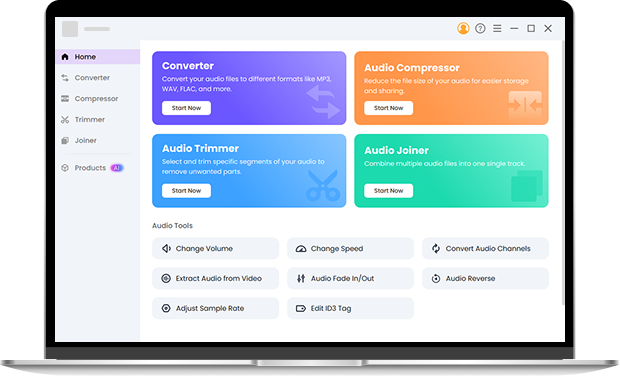
Although our online AIFF to MP3 converter works great in your browser, if you frequently convert files, consider downloading Pro Audio Toolkits. It’s a powerful desktop solution enhanced with AI technology, offering advanced features like batch processing, high-speed conversion, and custom audio settings. The AI integration ensures optimal audio quality and faster processing times, making it an ideal tool for professionals. Try it right now to experience the difference!
FAQ
-
1. What is AIFF, and why should I convert it to MP3?
AIFF is a lossless audio format, which means it offers high audio quality. However, MP3 is a compressed format that is more universally compatible with devices. Converting AIFF to MP3 makes your files more portable and easier to share.
-
2. How do I convert AIFF to MP3 on a Mac?
To convert AIFF to MP3 on a Mac, simply upload your AIFF file to our online AIFF converter, select MP3 as the output format, and hit convert. It works smoothly on all Mac devices.
-
3. Is the AIFF to MP3 conversion tool really free?
Yes, our converter is completely free. You can convert AIFF files to MP3 as many times as you need without paying a penny.
-
4. How long does it take to convert AIFF to MP3?
Our AIFF to MP3 converter works in a matter of seconds. The time will vary slightly based on the file size, but it’s always fast.
-
5. How to Convert MP3 to AIFF?
To convert MP3 to AIFF, use our online converter. Simply upload your MP3 file, select AIFF as the output format, and click convert. It's quick, easy, and free!
-
6. How to Convert AIFF to MP3 on Windows?
Converting AIFF to MP3 on Windows is simple with our online tool. Upload your AIFF file, choose MP3 as the output format, and hit convert. After the conversion, download the MP3 file directly to your device.
More Features of Our Online AIFF to MP3 Converter
-
Convert Large AIFF Files
No file size limits! Our tool can handle large AIFF files without compromising on speed or quality.
-
Support for Multiple Formats
Besides AIFF and MP3, our converter also supports a variety of other audio formats, making it versatile for all your audio conversion needs.
-
Secure and Private
We respect your privacy. Your files are automatically deleted after the conversion, ensuring they remain safe and secure.
-
Compatible with All Devices
Whether you're on Windows, Mac, or mobile devices, you can use our online converter to convert AIFF to MP3 easily.
Give Us 5 Stars!
Show your love by giving 5 stars!
We'll continue to offer best AIFF to MP3 converter.
reviews