Free Online Audio Editor
A free online audio editor for quick, private and lossless audio editing online.
How to Edit Audio Online in 3 Simple Steps
Step 1. Upload your MP3, WAV or M4A file directly in the browser to start editing audio online free, even when the audio file is large.
Step 2. Select the exact part to keep or remove with one-second precision, which is useful when trimming podcast audio, video background music or voice recordings.
Step 3. Export the edited file instantly with the original codec and bitrate, so your free online audio editor workflow keeps the same sound quality.
Free Online Audio Editor for Beginners
Second-Level Trimming Without a Learning Curve
Trim podcast clips, ringtones, or background music at 00:00:01 precision using this free audio editor online. It makes it easy for beginners to remove silence or mistakes when you edit audio online.
Simple Speed, Volume and Fade Controls
Adjust speed from 0.5x to 3x and volume from 0% to 200%. Apply 1-second fades with this free MP3 editor online, perfect for video background music, voice memos, or podcast clips.
Lossless Editing with Original Encoding
When editing MP3 or WAV files for podcasts or music sharing, this free online MP3 editor keeps the original audio encoding and avoids re-compression, so beginners do not need to worry about quality loss.
Fast AI Processing for Large Audio Files
When trimming long audio recordings or full podcast episodes, AI assisted processing keeps editing audio online fast and stable, which saves waiting time for first-time users.
Works with Common Audio File Types
This free online audio editor supports common audio formats you encounter in real use, including MP3, WAV, AAC, FLAC, M4R, OGG, WMA, etc., so you can edit audio files from different sources without conversion.
Professional Online Audio Editing Made Simple
Create Custom Ringtones
For turning a song into a ringtone, the online audio editor lets you zoom into the waveform, cut the exact chorus, and export only a short clip without changing the original music quality.
Refine Podcasts and Interviews
For podcast audio editing, the sound editor helps you remove mistakes, silent gaps and repeated sentences by trimming small sections quickly.
Edit Voice Memos and Audio Recordings
For voice memos, meeting recordings or field audio recordings, the voice editor makes it easy to isolate one useful sentence and export a short, clear audio clip for sharing.
Unlock More Power with Pro Audio Toolkits
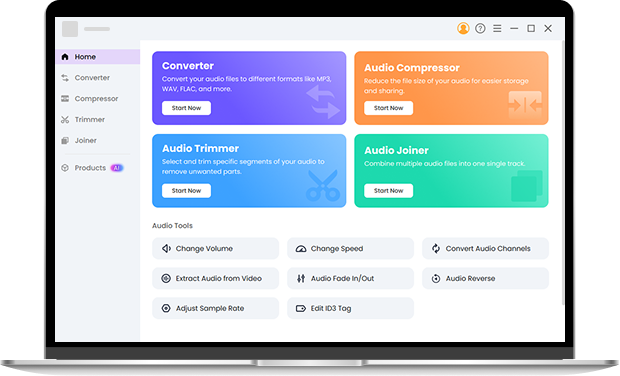
The Pro Audio Toolkits extend your free online audio editor workflow with offline advanced trimming, audio merger and audio compressor, which are useful when you need to batch edit multiple music or podcast files, combine several clips into one track, or control file size before delivery.
Frequently Asked Questions
-
1. Is there a free online audio editor?
Yes, this free audio editor online allows you to edit audio for free and export files without registration.
-
2. How can I edit MP3 files online without losing quality?
This MP3 editor online cuts MP3 files without re-encoding, so the original sound quality is preserved.
-
3. Can I adjust the speed and volume of my audio online?
Yes, this audio editor online supports music speed changer and volume adjustment.
-
4. Is it safe to upload my private voice recordings?
Yes, uploaded audio files are automatically removed after processing.
-
5. How to edit audio files on iPhone?
Open this free online audio editor in your mobile browser and edit audio files without installing an audio editor app.
-
6. What makes this audio editor different from others?
OKmusi free online audio editor is simple and easy to use, with a clean interface. Users can edit MP3, voice memos, or music clips without any technical skills.
Why Creators Choose Our Online Audio Editor
-
Beginner Friendly
Edit MP3 without any skills.
-
Fast Processing
Audio files are trimmed and exported quickly.
-
Privacy Focused
Uploaded audio files are deleted automatically.
-
Clean Interface
No ads or distracting elements.
Give Us 5 Stars!
Show your love by giving 5 stars!
We'll continue to offer best online audio editor.
reviews