Free MP3 Editor Online
Edit MP3 files instantly in your browser. No installation required.
How to Edit MP3 Online for Free?
Step 1. Upload your MP3 file directly from your device.
Step 2. Use OKmusi MP3 editor to drag and select the segment you want, or enter the exact start and end times to trim the audio. You can also adjust speed, volume, and fade effects.
Step 3. Preview the edited audio to make sure it sounds right, then export and download the final MP3 file instantly.
Why Choose OKmusi Free MP3 Editor
Cut MP3 Precisely
Trim your audio with second-level precision using a clear waveform timeline. Simply drag the selection handles across the waveform or set the start and end time to select the exact segment you want, preview the result instantly, and export the final clip. This MP3 cutter is ideal for removing unwanted sections, extracting highlights from songs, or cutting clean clips from longer recordings.
Adjust Speed, Volume & Fade Effects
Fine-tune your audio with flexible editing controls. You can change playback speed from 0.5× to 3×, adjust volume from 0% to 200%, and apply smooth fade-in or fade-out effects up to 10 seconds. Real-time preview lets you hear changes immediately so you can quickly refine the sound.
AI-Assisted Audio Editing
Built-in AI-assisted automation helps speed up common editing tasks. The MP3 trimmer can streamline trimming, smooth transitions, and optimize basic audio adjustments, allowing you to polish clips quickly without complicated manual editing.
Free and Easy to Use
This MP3 editor is designed to be straightforward and accessible for anyone. Simply upload your audio file, make quick adjustments, preview the result, and download the finished audio in seconds. There is no account required, no installation needed, and the entire editing process runs directly in your browser.
What Can You Do with This Online MP3 Cutter?
Create Custom MP3 Ringtones
Quickly turn any song into a ringtone by trimming the exact section you want from the waveform. Simply select the chorus, intro, or beat drop, preview the clip, and export it as a clean MP3 file. You can also apply a short fade-in or fade-out to make the ringtone start and end more naturally.
Polish Podcast Intros & Outros
Clean up podcast segments by trimming unnecessary silence, adjusting volume levels, and applying smooth fade effects. These small edits help create more professional intros and outros without needing complex audio software.
Extract and Refine Audio Snippets
When you only need a short section from a longer recording, the audio editor allows you to isolate the exact moment you want. After trimming, you can adjust playback speed, refine the volume, or apply fade effects before exporting the final audio snippet.
Handle Large Audio Files with the Pro Audio Toolkit
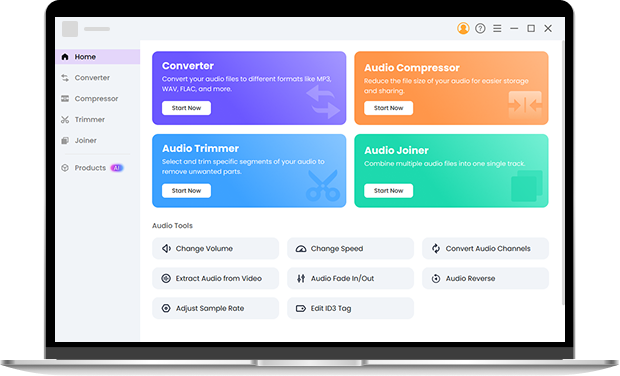
For larger or more advanced tasks, the Pro Audio Toolkit provides powerful local processing directly on your device, allowing you to work with audio files up to 3GB without uploading them online. Because everything runs locally, processing is faster and your files remain private. This MP3 editing software supports batch audio conversion, compression, trimming, audio merging, and format conversion across multiple formats including MP3, WAV, AAC, FLAC, OGG, M4A, AC3, and WMA, making it an efficient solution for handling large files or managing multiple audio tasks at once.
FAQ
-
1. How do I cut a specific part of an MP3 file online?
Upload your audio file to OKmusi MP3 cutter and select the exact segment using the waveform timeline. You can drag the selection handles or enter precise start and end times for accurate trimming. After previewing the clip, simply export the trimmed MP3 file.
-
2. Can I add fade-in or fade-out effects when trimming audio?
Yes. The MP3 trimmer allows you to apply smooth fade-in and fade-out effects when trimming your audio. You can adjust the fade duration up to 10 seconds to create a more natural start or ending.
-
3. Can I create custom ringtones with this MP3 editor?
Yes. You can easily turn any song into a ringtone by trimming the exact part you want, such as the chorus or intro. After selecting the segment, simply export the file as an MP3/M4A ringtone.
-
4. Can I preview the audio before downloading?
Yes. The built-in preview player lets you listen to the selected segment before exporting the file, so you can make sure the cut, speed, volume, and fade effects sound exactly the way you want.
-
5. Do I need to install any software to edit MP3 files?
No installation is required. The MP3 editor runs entirely online in your browser, so you can upload, edit, and download your audio files instantly.
Why Creators Choose Our MP3 Editor Online
-
Secure Processing
All editing happens directly in your browser, so your files are not uploaded or stored on external servers.
-
No Installation Required
Use the MP3 editor instantly from any modern browser — whether you're on Windows, macOS, or Linux.
-
Completely Ad-Free
This free MP3 editor provides a clean editing experience with no ads, popups, or unnecessary distractions.
-
Broad Format Compatibility
Supports common audio formats including MP3, WAV, M4A, FLAC, and OGG for easy editing and export.
Give Us 5 Stars!
Show your love by giving 5 stars!
We'll continue to offer best online MP3 editor.
reviews