Extract Audio from Video Online for Free
Separate audio from video online easily and save clean sound files fast.
What This Online Video Audio Extractor Does
This online audio extractor takes a video file and outputs its audio track as a standalone audio file, such as MP3, WAV, M4A, OGG, etc. It supports common video formats and handles audio extraction without altering embedded metadata or requiring local software.
Why This Online Video Audio Extractor Works Well
Get Clean Audio Without Extra Steps
When you upload a video, the tool focuses only on the audio stream. You do not need to trim timelines or mute tracks. This feels especially helpful when you extract audio from MP4 recordings or pull sound from long screen captures.
Keep Original Audio Details Intact
If your video includes artist info or track titles, the extractor keeps that data. That matters when you rip audio from video for music libraries or organized folders. You avoid the small annoyances that usually come after conversion.
Use It Anywhere Without Setup
Because this audio extractor from video runs in the browser, you can use it on Windows, Mac, or even on your phone. When you need to extract sound from video online during travel or work, you do not depend on installed software.
Private by Default for Personal Files
Your files are processed and then removed automatically. That makes this video audio extractor a safer option when you extract audio from video recordings that include meetings, voice notes, or personal content.
How to Extract Audio from Video Online
Step 1. Upload your video file to the audio extractor online.
Step 2. Choose an output format such as MP3 or WAV. Then start the extraction and wait for processing.
Step 3. Download the audio file once it is ready.
This flow stays simple even if you extract MP3 from MP4 or turn a screen recording into an audio file.
Need More Control Over Audio Files
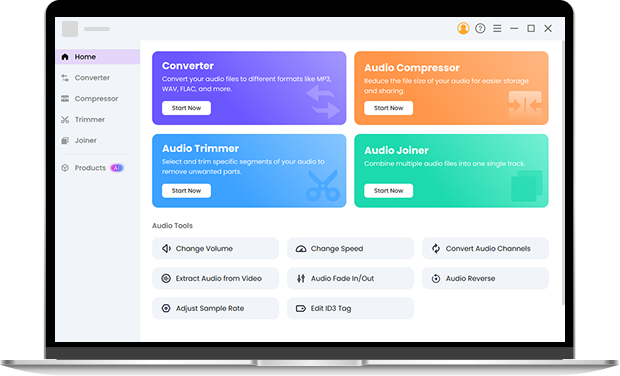
Online tools work well for quick tasks. When you convert videos often, handle batch jobs, or adjust bitrate and encoding, Pro Audio Toolkits gives you more flexibility. You can manage large libraries, fine tune output settings, and edit audio locally without relying on internet speed. Install it now.
Frequently Asked Questions
-
How to separate audio from video online for free?
Upload your video file to an online audio extractor such as OKmusi, select an audio format, and start the process. The tool extracts the audio automatically, then you download the result. This method supports over 200 video and audio formats, including common ones like MP4 and MOV.
-
Can I extract audio from MP4 videos?
Yes. MP4 is one of the most supported formats, and you can extract MP3 from MP4 or export WAV audio without issues.
-
Does extracting audio reduce sound quality?
The extraction itself does not change the audio stream. Quality only depends on the output format you choose.
-
Can I extract audio from video on my phone?
Yes. Since this is an online audio extractor tool, it works on mobile browsers without installation.
-
How to extract audio from video on phone?
You can extract audio from video on your phone by using OKmusi online audio extractor in your mobile browser. Upload the video, choose an audio format, and download the audio file without installing any app.
-
How do I extract audio from video on Windows?
On Windows, you can extract audio from video either with OKmusi online video to audio converter or with desktop audio software like Pro Audio Toolkits. Online tools work well for quick tasks, while desktop tools offer more control for batch or large files.
-
How to extract audio from video on iPhone without app?
You can extract audio from video on iPhone without app by using OKmusi video audio extractor online tool in Safari. The process runs in the browser, so you do not need to install anything or sign in.
More Details about This Online Audio Extractor
-
Supports Many File Types
Works with popular video formats you already use.
-
No Account Needed
You can extract audio without registration or login.
-
Clean Interface
No ads, popups, or misleading buttons during use.
-
Lightweight Processing
Handles extraction efficiently even for longer videos.
Give Us 5 Stars!
Show your love by giving 5 stars!
We'll continue to offer best way to extract audio from video.
reviews