Free FLAC to WAV Converter Online
Convert your high-fidelity FLAC files to standard WAV format in 5 seconds.
Instant Online FLAC to WAV Conversion at Your Fingertips
Need to convert FLAC to WAV fast? Our browser-based tool requires no registration or software. It is the easiest way to convert FLAC to WAV without losing quality, supporting files up to 100MB while keeping your audio bit-perfect. Because it processes files locally, your audio conversion tasks stay private, anonymous, and lightning-fast on any device.
How to Convert FLAC to WAV Online in 3 Simple Steps
Step 1. Upload your .flac file (Up to 100MB) by dragging it into the conversion box.
Step 2. Hit "Convert" and watch it work. Our browser-based engine completes most files in 5 seconds — no server queues, no waiting.
Step 3. Download your lossless .wav file instantly to your local storage.
Why Use Our Online FLAC to WAV Converter?
AI-Optimized Conversion Engine
This is the go-to solution when you need to convert FLAC to WAV for professional mixing without risking frequency shifts. The AI engine ensures the internal audio coding stays untouched, keeping your tracks identical to the original studio master.
Batch Processing for Faster Workflows
Instead of the headache of converting files one by one, you can queue up multiple tracks and let the free FLAC to WAV converter handle the sequence. It is a massive time-saver when preparing an entire album for a legacy media player in one go.
High-Speed Browser-Based Rendering
Stop waiting for slow server uploads or file downloads. Since the conversion happens locally in your browser, the FLAC to WAV transition completes in just 5 seconds — much faster than traditional cloud-based converters.
Universal Device Compatibility
You can convert FLAC to WAV on Mac or Windows PC without worrying about system requirements. It is a perfect "open and go" utility for quick format swaps on any computer or mobile device without installing software.
FLAC vs. WAV: Which Lossless Format Should You Choose?
What Is FLAC Audio
FLAC (Free Lossless Audio Codec) is an open-source format providing bit-perfect compression. Because FLAC is lossless, it reduces file sizes by 50% without any data sacrifice, serving as the standard for high-fidelity archiving and storage-efficient digital libraries.
What Is WAV Audio
WAV (Waveform Audio File Format) is the uncompressed bitstream standard for professional audio production. When you convert FLAC to WAV, the data is expanded into a raw format that requires no CPU decoding. This ensures 100% compatibility with DAWs, legacy hardware, and professional broadcast systems.
Upgrade to Pro Audio Toolkits for Advanced Batch Processing
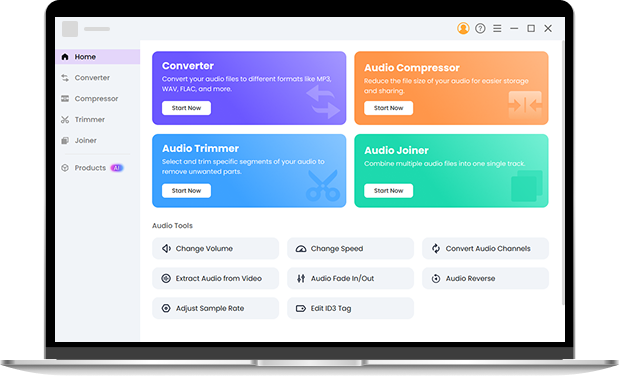
For those moments when a 100MB limit isn't enough, I highly recommend downloading the Pro Audio Toolkits to handle your entire music library offline. The Pro version allows you to convert FLAC to WAV with no file size restrictions and offers high-speed batch processing that leaves browser tools in the dust. It is a complete suite where you can use the Audio Compressor to shrink files for mobile use, the Audio Trimmer for precision cuts, or the Audio Joiner to merge multiple tracks into a single seamless file. It is the best way to maintain original bitstreams and metadata while enjoying the stability of a desktop app on both Windows and Mac. Install it now.
Frequently Asked Questions About FLAC to WAV
-
1. How to convert FLAC to WAV without losing quality?
To convert FLAC to WAV without losing quality, you must use a tool that supports lossless-to-lossless conversion. Our free FLAC to WAV converter ensures that every bit of audio data is preserved during the process.
-
2. Is this tool free to use?
Yes, it is completely free with no hidden fees or premium paywalls. You can convert FLAC to WAV for both individual tracks and full album collections without ever needing to create an account.
-
3. What should I do to convert FLAC to WAV on Mac?
No software installation is required. Since this tool is browser-based, you can simply upload your files via Safari or Chrome to perform a high-speed local conversion on any macOS device.
-
4. How do I convert FLAC to WAV on Windows?
Just drag and drop your files into the free FLAC to WAV converter. It works seamlessly on Windows 10/11 through your web browser, bypassing the need for complex audio codecs or third-party apps.
-
5. Can I convert FLAC to WAV on Linux?
Yes. As long as you have a modern browser, this tool works on any Linux distribution. It’s a fast, "open and go" alternative to using command-line tools for format swaps.
-
6. What is the main difference between FLAC and WAV?
The primary difference between FLAC and WAV is that FLAC is compressed to save space, while WAV is uncompressed. Converting from .flac to .wav makes the file larger but more compatible with professional software.
-
7. Is WAV or FLAC better for high-end audio?
In terms of sound quality, neither is "better" because both preserve 100% of the audio information. However, WAV is the studio favorite since it is uncompressed and doesn't require extra CPU power to decode during playback or editing.
Secure & Free FLAC to WAV Conversion
-
Metadata Integrity
Your original artist names and album art stay perfectly intact without manual re-tagging.
-
100% Anonymous
No email or account is required — simply convert FLAC to WAV with total privacy.
-
Clean & Secure
A professional, ad-free interface ensures your files stay safe from malware and redirects.
-
Always Free
Enjoy a truly free FLAC to WAV converter with no hidden fees or catches.
Give Us 5 Stars!
Show your love by giving 5 stars!
We'll continue to offer best FLAC to WAV converter.
reviews