Free Online M4B to MP3 Converter
Convert M4B audiobooks to MP3 instantly without waiting for file uploads
How to Convert M4B to MP3 Online for Free
Step 1. Add M4B Files: Click "Add Files" to select your audiobooks (up to 100MB per file).
Step 2. Set Format: Choose MP3 as your output (or select from AAC, WAV, FLAC).
Step 3. Instant Save: Click "Convert" to process .m4b file locally and save the MP3s to your device immediately.
Why Choose Our M4B to MP3 Converter?
OKmusi makes M4B to MP3 conversion simpler than ever. Whether it's a long novel or a quick podcast, OKmusi turns restrictive M4B files into high-quality MP3s in seconds.
Play Audiobooks on Any Device, Anywhere
M4B files are primarily designed for Apple devices, often leaving Android users and car owners in the dark. By converting your M4B to MP3, you can finally enjoy your purchased stories on Android phones, Kindle Fire, car USB stereos, and older MP3 players like SanDisk. No more "Format Not Supported" errors — just your favorite narrators, anywhere you go.
100% Private M4B to MP3 Conversion
Audiobooks are personal, and some M4B files can be massive. Unlike traditional converters that force you to wait for long uploads to a remote server, our M4B to MP3 online tool processes everything locally in your browser. Your files never leave your computer, ensuring your privacy is 100% protected while saving you the bandwidth of uploading gigabytes of data.
Free High-Quality MP3 Conversion
M4B files often use specific AAC encoding optimized for speech. Our AI-driven engine recognizes these speech patterns during the M4B to MP3 transition, ensuring the bitstream remains stable and the narrator's voice stays crystal clear. You get a high-fidelity MP3 file that preserves the depth of the original recording without any digital hiss or quality loss.
Batch Convert M4B Files
Why wait hours to convert a multi-part book series? Our tool allows you to batch convert M4B to MP3 (up to 3 files simultaneously) in seconds. Since there is no "uploading" or "queueing" on a server, the conversion starts the moment you click the button, making it the fastest way to prepare your entire audiobook library for a road trip.
Pro Audio Toolkits: For Large Audiobooks & Heavy Users
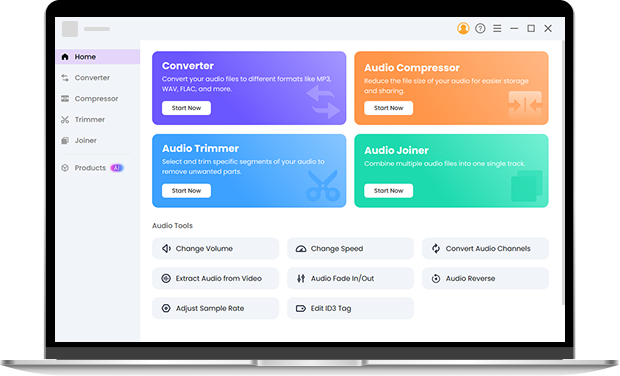
Managing a massive library? Our Pro Audio Toolkit is designed for the heavy lifters. It supports massive M4B files up to 3GB — perfect for 40-hour audiobooks that crash standard online tools. The Pro version preserves original Metadata (ID3 tags), ensuring your book titles, authors, and cover art stay attached to the new MP3 files. It also supports 200+ formats and includes a professional Audio Trimmer and Merger for custom audiobook editing.
FAQ
-
1. How can I convert M4B to MP3 on Android?
Just open OKmusi M4B to MP3 converter in your mobile browser (Chrome or Firefox). Tap "Drop or click to convert" to select the M4B from your device, and convert. The MP3 will save directly to your phone instantly.
-
2. Is there a file size limit for the online M4B to MP3 converter?
The online M4B to MP3 converter supports files up to 100MB. For massive audiobooks, our Pro Audio Toolkit handles files up to 3GB with ease.
-
3. Why is this M4B converter faster than others?
Traditional tools spend 90% of the time uploading and downloading your files. Since OKmusi processes M4B files locally in your browser, you skip the wait and get your MP3 the moment conversion finishes.
Advanced Features of OKmusi M4B to MP3 Converter
-
No Distractions
Our converter is free of intrusive pop-up ads and confusing redirects, allowing you to focus on your files.
-
Work on All Devices
Whether you are on Windows, macOS, or Linux, our web M4B to MP3 converter works perfectly.
-
One-Click Simplicity
With our "click-and-go" interface, converting M4B to MP3 is simple and intuitive for everyone.
-
20+ Output Formats
Beyond MP3, you can export audio to WAV, FLAC, OGG, M4A, AAC, and more.
Give Us 5 Stars!
Show your love by giving 5 stars!
We'll continue to offer best M4B to MP3 conversion services.
12 reviews