Free M4R Converter
Convert MP3, M4A, AAC, or video files into iPhone ringtones in seconds.
What is an M4R Converter?
An M4R converter transforms audio and video files into the M4R format recognized by iPhone for ringtones. Even if a file plays perfectly on your device, iOS may not list it as a ringtone until it’s packaged in the M4R container. This converter solves that compatibility issue instantly.
Why iPhone Requires the M4R Format
iOS identifies ringtones based on the file container and extension, not just the audio content.
Even AAC audio inside MP3, M4A, or MP4 needs to be converted to M4R to appear as a ringtone option. Using this converter ensures your audio files are properly recognized by iPhone.
How Our M4R Converter Works
Privacy-Safe Browser Conversion
All conversions happen directly in your browser. Your files never leave your device, keeping private recordings, voice messages, and licensed music secure.
Supports 50+ Audio & Video Formats
Convert MP3, WAV, AAC, FLAC, M4A, MP4, MOV, OGG, AIFF, and more without extra tools. This free M4R converter online works with music libraries, chat apps, screen recordings, and camera videos.
AI-Powered Audio Stream Detection
AI-powered audio stream detection automatically finds the correct audio track in videos, helping avoid silent or wrong ringtone exports.
Metadata Preservation
Title, artist, and album information are kept in the exported M4R file, making it easy to organize and identify your ringtones on iPhone.
Clean and Safe Interface
No ads, popups, or misleading download buttons. Focus on converting your files safely and efficiently.
How to Convert Files to M4R Online
Step 1. Upload your audio or video file, such as MP3, WAV or MP4.
Step 2. Select M4R as the output format, and start the conversion.
Step 3. Download the M4R file when the process completes.
The downloaded file can be imported into your iPhone as a compatible ringtone file.
When You Need an M4R Converter
Fix Unrecognized Audio Files
If your MP3 or WAV plays on iPhone but doesn’t appear in the ringtone list, converting to M4R resolves the compatibility issue.
Convert MP4 to M4R
Convert the audio from MP4 videos into iPhone-ready M4R ringtones in one step. No audio extraction or extra tools required.
Create Personal Ringtones
Once your audio or video files are converted to M4R, they behave like native iPhone ringtones. Assign them to contacts or calls without extra steps.
When You Need More Advanced Audio Control
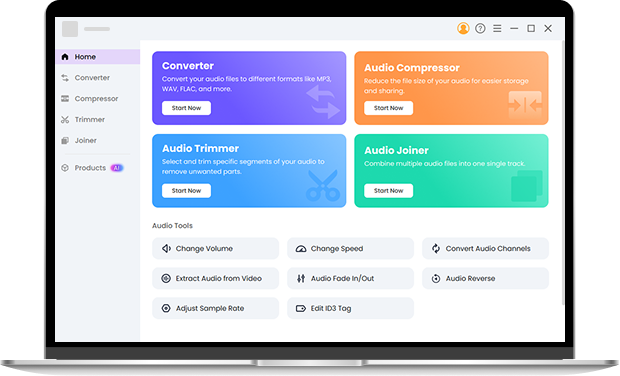
If you need batch conversion, advanced trimming, audio effects, volume control, compression, or detailed encoding and bitrate control, Pro Audio Toolkits provides a desktop workflow for Windows and Mac with extended audio processing features while preserving original metadata. Install it right now.
Frequently Asked Questions About M4R Converter
-
1. What is the M4R format?
M4R is the official ringtone file format recognized by iPhone and iOS. Only files packaged in the M4R container can be selected as ringtones.
-
2. What is an M4R converter?
It converts audio or video files into M4R format so iPhone can recognize them as ringtones.
-
3. How do I convert MP3 to M4R for iPhone?
Upload your MP3 file, select M4R as the output format, and download the converted file when the process finishes.
-
4. Is it possible to convert M4A to M4R?
Yes. You can convert M4A to M4R directly. This converter repackages your M4A audio into an iPhone-compatible M4R ringtone file in one step.
-
5. Can this M4R converter turn video into an iPhone ringtone?
Yes. MP4 and other videos are supported, and the audio portion is automatically extracted and converted to M4R.
-
6. Why does my M4R file not appear on my iPhone after import?
Usually the file isn’t a proper M4R container or is over 40 seconds. Use our M4R converter to fix compatibility.
Additional Online Capabilities of This M4R Converter
-
No Registration Required
You can convert files to M4R immediately without creating an account or signing in.
-
Free Online Conversion
The online M4R converter can be used without payment for personal ringtone preparation.
-
Cross-Platform Browser Access
You can use the converter on Windows, macOS, iOS and Android through modern web browsers.
-
Fast In-Browser Processing
The free M4R converter completes typical ringtone format conversions efficiently in the browser.
Give Us 5 Stars!
Show your love by giving 5 stars!
We'll continue to offer best M4R converter.
reviews