MKV to MP3 Online Converter
Convert MKV video to MP3 audio in seconds
When You Only Need Audio from MKV Videos
MKV files often store video and audio together, which can make sharing or listening inconvenient. Converting MKV to MP3 gives you a lightweight audio file that works on phones, cars, and music players, letting you enjoy the sound without the video.
Many users extract audio from MKV to save storage space or reuse clips for podcasts, presentations, or personal projects. Once converted to MP3, these audio files play smoothly on almost any device, making it easy to listen, share, or repurpose them as needed.
What Is OKmusi MKV to MP3 Converter
OKmusi MKV to MP3 converter is an online tool that extracts audio tracks from MKV video files and outputs them as MP3 audio files. Users rely on it when they need audio only, without video data, for playback or reuse.
Key Features of the MKV to MP3 Converter
Clean Audio Extraction Without Re-encoding
You get MP3 files that preserve original audio details from the MKV source. The converter avoids unnecessary audio changes, which helps you keep voices and music natural and clear.
Works Across Devices and Browsers
You can convert MKV to MP3 on Windows, Mac, mobile phones, or tablets. The tool runs directly in your browser, so you do not worry about system compatibility or setup.
Private File Handling You Can Trust
Whether you are on a public Wi-Fi, a shared computer, or your own phone, your MKV files are processed privately and deleted automatically after conversion. You never need an account, and your personal data stays safe.
Supports Many Video and Audio Formats
Besides .mkv to .mp3, the converter handles many other video and audio formats. This flexibility helps when your files come from different sources or devices.
How to Convert MKV to MP3 Online
Step 1. Upload your MKV file from your device.
Step 2. Select MP3 as the output audio format. Then start the conversion and wait for processing.
Step 3. Download the MP3 file once conversion finishes.
The process stays simple and clear, even if you never convert media files before.
Convert MKV to MP3 at Scale
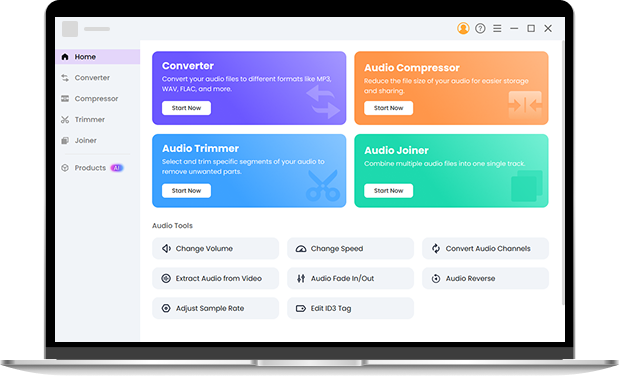
Online conversion works well for quick tasks, but some situations need more flexibility. Pro Audio Toolkits give you advanced options like batch conversion, precise bitrate control, and offline editing. If you often handle large audio libraries or need consistent output quality, a desktop solution can save you time. Try it now.
FAQ About MKV to MP3
-
1. How do I convert MKV to MP3 online?
You upload your MKV file, choose MP3 as the output, and start the conversion. The tool extracts audio from the MKV video and provides an MP3 file for download.
-
2. Can I extract audio from MKV without losing quality?
Yes. A reliable MKV to MP3 converter keeps the original audio structure and avoids unnecessary changes during extraction.
-
3. Is this MKV to MP3 converter free to use?
Yes. You can convert MKV to MP3 without payment, account creation, or hidden limits for typical use.
-
4. Can I convert large MKV files online?
Most large MKV files convert smoothly, but performance may vary with file length, bitrate, or network speed. If you work with very long videos or convert frequently, desktop tools provide more stable and faster processing.
-
5. Can I convert MKV to MP3 offline?
Yes. While online converters work in your browser, desktop tools let you convert MKV to MP3 offline. This is useful if you handle multiple files or prefer processing without an internet connection.
-
6. Is there a MKV to MP3 converter with no limits?
The online converter handles most MKV files without strict size restrictions. For very large videos or frequent conversions, desktop solutions offer more consistent speed and stability.
More Details About the Online MKV to MP3 Tool
-
No Software Installation Required
Everything works inside your browser.
-
Anonymous Conversion Experience
You do not leave personal information behind.
-
Ad-Free Interface
The page stays clean without popups or redirects.
-
Stable Conversion Success Rate
The system handles common MKV formats reliably.
Give Us 5 Stars!
Show your love by giving 5 stars!
We'll continue to offer best way to convert MKV to MP3.
reviews