Free MOV to WAV Converter Online
Extract high-quality WAV audio from MOV videos directly in your browser.
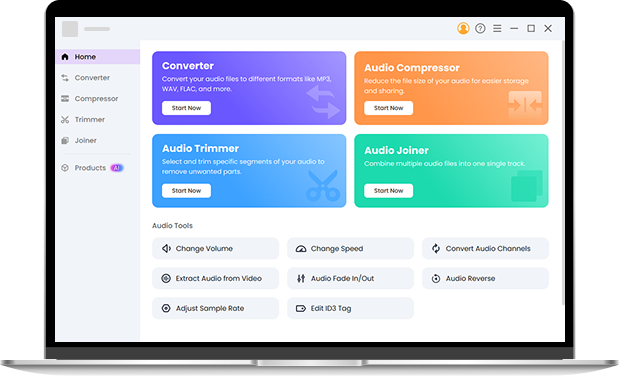
Convert MOV to WAV Online in Seconds
This online MOV to WAV converter lets you extract audio from MOV videos directly in your browser. Whether you want to save background music from a video, capture an interview recording, or prepare audio for editing, you can convert MOV to WAV instantly with secure local processing.
MOV vs WAV: Why Convert MOV to WAV?
MOV is a video container format developed by Apple that stores both video and audio tracks. While it works well for video playback and editing, it is not always ideal when you only need the audio.
WAV is a high-quality uncompressed audio format widely used in audio production, podcast recording, and sound editing.
Converting MOV to WAV allows you to:
● Extract high-fidelity audio from video files
● Save voice recordings from video interviews
● Capture background music or sound effects
● Prepare audio for professional editing software
How to Convert MOV to WAV Online in 3 Simple Steps
Step 1: Upload Your MOV Files (Up to 100MB)
Select your MOV file from your device to start the conversion. You can also add multiple files if you need to convert several videos at once.
Step 2: Choose WAV as the Output Format
Select WAV as your output format. The free MOV to WAV converter will automatically detect and extract the audio track from the MOV file.
Step 3: Convert and Download Your WAV File
Start the conversion and the tool will process the file locally in your browser. Once finished, download the WAV audio file instantly.
Why Use OKmusi Free MOV to WAV Converter Online
Our browser-based MOV to WAV converter is designed to make audio extraction fast, secure, and reliable. Everything runs locally on your device, so you can convert video to audio without slow uploads or privacy concerns.
Private Conversion with Local Browser Processing
Your MOV files are processed directly in your browser instead of being uploaded to a server. This keeps your videos completely private while also eliminating long upload times.
Faster Conversion Without Upload Delays
Because files are processed locally, you can convert MOV to WAV almost instantly. There is no need to wait for large videos to upload before the conversion begins.
Batch Convert Multiple MOV Files
If you have several videos that need audio extraction, you can convert multiple MOV files to WAV in one session, making it easier to process recordings, lectures, or media libraries.
Reliable Conversion with AI-Enhanced Processing
Our conversion engine uses optimized processing to improve format compatibility and ensure a high success rate when extracting audio from MOV videos.
Convert Large MOV Files or Edit Audio with Pro Tools
If you need to process larger videos or perform advanced audio editing, the Pro Audio Toolkit offers a more powerful solution. It supports MOV files up to 3GB, enables large batch conversions, and allows you to customize audio bitrate settings for different output quality. The toolkit also includes built-in tools for trimming recordings, compressing audio files, and merging multiple tracks, making it a complete solution for audio extraction and editing workflows.
Frequently Asked Questions
-
1. How do I convert MOV to WAV on Mac?
Open the online MOV to WAV converter in your browser, upload your MOV file, choose WAV as the output format, and download the converted audio. The tool works on macOS without installing additional apps.
-
2. Can I convert MOV to WAV in batch?
Yes. The online MOV to WAV converter allows you to upload and convert up to 3 MOV files at the same time. If you need to process larger batches, the Pro Audio Toolkit supports converting up to 30 files in one session, making it ideal for handling multiple recordings or video clips efficiently.
-
3. Will converting MOV to WAV reduce audio quality?
No. WAV is an uncompressed audio format, so converting MOV to WAV preserves the original audio quality extracted from the video.
-
4. Is browser-based MOV to WAV conversion safe?
Yes. Because the conversion happens locally in your browser, your files never leave your device. This makes it safer than many cloud converters.
-
5. Do I need to install software to use this MOV to WAV converter?
No. The entire MOV to WAV conversion process runs directly in your browser without any installation.
-
6. What is the difference between MOV and WAV?
MOV is a video container that stores both video and audio, while WAV is an uncompressed audio format. Converting MOV to WAV extracts the audio track from the video and saves it as a high-quality audio file.
-
7. What is the best online MOV to WAV converter?
The best online MOV to WAV converter should be fast, secure, and easy to use. Tools that process files locally in the browser can convert videos faster while keeping your files private.
Key Features of Our Online MOV to WAV Tool
-
Private Local Processing
All conversions happen locally, so your files stay on your device.
-
Export to 20+ Audio Formats
Convert MOV files to WAV and other popular audio formats.
-
Works on Any Device
Use the converter on Mac, Windows, iPhone, Android, or any modern browser.
-
No Registration
Start converting MOV to WAV instantly without creating an account.
Give Us 5 Stars!
Show your love by giving 5 stars!
We'll continue to offer best MOV to WAV service.
reviews