MP3 to MIDI Converter Online
Convert your MP3 recordings into editable MIDI files directly in your browser.
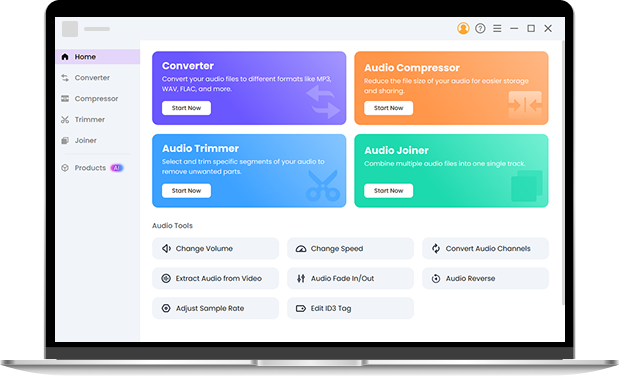
Turn Your MP3 Recordings Into Editable MIDI Files in Seconds
You use this MP3 to MIDI converter when a quick idea lives only in a phone recording and you need real notes to continue working in your DAW. It lets you convert MP3 to MIDI online for free with AI-assisted audio analysis, without replaying the part or rebuilding the melody by ear.
How to Convert MP3 to MIDI Online
Step 1. Upload your MP3 file. Start by selecting your MP3 recording when you want to turn a short audio idea into editable notes.
Step 2. Convert MP3 to MIDI automatically. Once the file is uploaded, the AI engine analyzes pitch and timing automatically and converts MP3 to MIDI without requiring manual adjustments.
Step 3. Download MIDI file. When the conversion finishes, download the MIDI file and open it directly in your DAW or notation software.
Get Clean and Editable MIDI Files From Your MP3 Recordings
More Accurate Note Detection for Single-Instrument Recordings
When your MP3 contains one clear instrument, such as a piano or guitar line, AI-based note detection produces more accurate pitch and timing, so you spend far less time fixing wrong or missing notes after MP3 to MIDI conversion. It is less reliable for full mixes or songs with multiple overlapping instruments.
MIDI Files That Open Cleanly in Your DAW
AI-assisted audio analysis helps reduce fragmented and incorrect notes before export, so your MIDI file opens cleanly and stays easy to edit.
Local Processing for Private MP3 to MIDI Conversion
This MP3 to MIDI online tool runs directly in your browser, which is useful when your recordings are personal and you prefer not to upload them to remote servers.
Fast MP3 to MIDI Conversion for Daily Music Tasks
It is designed for quick practice sessions and idea sketches, so you can get a usable MIDI file without extra setup.
What Is MP3 and What Is MIDI?
What Is an MP3 File?
An MP3 file is a compressed audio format that stores real sound, such as piano, guitar, vocals, or any recorded performance. You use an MP3 to MIDI converter when your idea exists only as audio and you want to turn that sound into editable notes.
What Is a MIDI File?
A MIDI file does not contain sound, but stores musical information such as notes, timing, and performance data. After MP3 to MIDI conversion, you can edit the notes, change instruments, and rearrange the performance freely in your DAW or notation software.
Work on Bigger MP3 to MIDI and Audio Projects
When you need to convert many files at once or handle very large recordings beyond the online MP3 to MIDI file size limit, Pro Audio Toolkits becomes the better choice. It supports batch conversion, removes file size limits, and uses AI-assisted audio analysis to keep MIDI results more consistent across large and complex projects. Try it right now.
FAQ
-
1. How accurate is MP3 to MIDI for real music projects?
MP3 to MIDI is accurate enough for practice, arranging, and demos when your recording has one clear lead instrument.
-
2. Is this MP3 to MIDI online converter free to use?
You can convert MP3 to MIDI online for free without signing up, and the only limit is a maximum file size of 100 MB per file.
-
3. What kind of audio works best for MP3 to MIDI conversion?
Clean recordings with low background noise and a single melodic instrument produce better MP3 to MIDI results.
-
4. Can I convert piano audio to MIDI?
Yes. This MP3 to MIDI converter is especially suitable for simple piano performances and clear piano lines.
-
5. Can the results be used for commercial purposes?
Yes, you can use the MP3 to MIDI output in commercial projects as long as you own or have the rights to the original audio.
-
6. Can I edit the MIDI output?
Yes. The MP3 to MIDI result can be edited like any other MIDI file in your DAW or notation software.
-
7. Is there an MP3 to MIDI converter for PC?
Yes. You can use this MP3 to MIDI online converter directly on your PC in any modern browser.
-
8. Can I convert MP3 to MIDI on Android?
Yes. You can convert MP3 to MIDI on Android in your mobile browser without installing any app.
-
9. Can I convert MP3 to MIDI on Mac?
Yes, you can convert MP3 to MIDI on Mac in your browser, and it works best for short piano or guitar recordings.
-
10. What is the best MP3 to MIDI converter for everyday use?
For everyday use, the best MP3 to MIDI converter is one that works online and produces clean, editable MIDI from clear single-instrument recordings.
Extra Benefits of the Online MP3 to MIDI Tool
-
No Account Needed
Start converting immediately without creating an account.
-
Works Across Devices
Use the online MP3 to MIDI converter on Windows, Mac, or mobile devices.
-
Keeps Original File Metadata
Your audio file tags stay intact after MP3 to MIDI processing.
-
Simple Interface
The clean layout helps you finish the task without learning a new workflow.
Give Us 5 Stars!
Show your love by giving 5 stars!
We'll continue to offer best MP3 to MIDI converter.
reviews