Free MPEG to MP3 Converter Online
Extract high-quality audio from MPEG videos instantly.
How to Convert MPEG to MP3 Online for Free?
Step 1. Select Files: Drag and drop your MPEG videos (up to 100MB) into the MPEG to MP3 converter.
Step 2. AI Conversion: Our local AI engine extracts the audio track directly in your browser.
Step 3. Download: Save your crystal-clear MP3 files to your device in seconds.
Why Choose OKmusi Free MPEG to MP3 Converter Online
OKmusi is redefining online audio converter by bringing professional-grade processing to your browser. Unlike traditional tools that require you to upload sensitive data to a cloud server, OKmusi performs the entire task locally on your device.
Local Processing
Your privacy is our priority. Since MPEG files often contain personal video footage, OKmusi ensures your files never leave your device. By converting MPEG to MP3 entirely within your browser's memory, we eliminate the need to upload private video data to a remote server.
AI-Enhanced Success
MPEG-1 and MPEG-2 files are notorious for sync issues and outdated codecs. Our AI-driven engine is specifically tuned to recognize these legacy structures, intelligently repairing the audio stream during MPEG to MP3 extraction to ensure a flawless, high-quality output every time.
Zero Wait Time
MPEG videos are significantly larger than audio files, making cloud-based converters painfully slow. OKmusi skips the heavy uploading phase entirely. The MPEG to MP3 conversion happens instantly on your local hardware, saving you bandwidth and time — especially for 100MB files.
Batch Conversion
Managing multiple video clips shouldn't be a chore. OKmusi allows you to batch convert MPEG to MP3 for up to 3 files at once. Our local engine handles the simultaneous processing of these video streams efficiently, allowing you to build your MP3 library in a fraction of the time.
Expand Your Experience with MPEG to MP3 Software
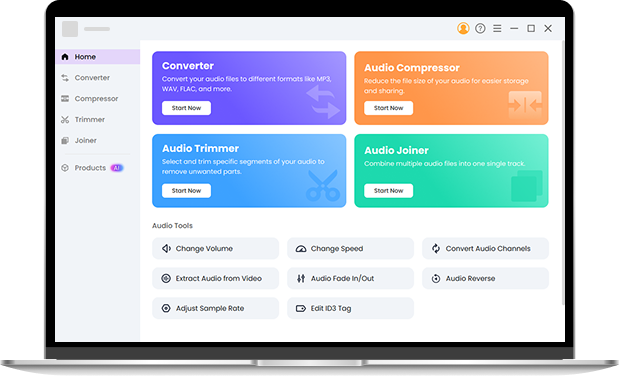
For professional users and heavy-duty tasks, the OKmusi Pro Audio Toolkit is the ultimate upgrade. It handles massive files up to 3GB and supports batch processing of hundreds of files across 200+ formats. Beyond conversion, you gain access to expert tools: customize your audio bitrate up to 320kbps, trim unwanted sections, compress files for storage, or merge multiple tracks into a single masterpiece. Try this MPEG to MP3 converter software instantly.
FAQ about MPEG to MP3 Conversion
-
1. What is the difference between MPEG and MP3?
MPEG is a "container" format that usually holds both video and audio data. MP3 is a dedicated audio-only format. Converting MPEG to MP3 essentially strips away the video to leave you with a lightweight audio file.
-
2. Can you convert MPEG to MP3?
Yes! OKmusi MPEG converter supports all major MPEG standards, including MPEG-1, MPEG-2, and MPEG-4, ensuring you can extract audio from almost any .mpg or .mpeg file.
-
3. Is it safe to use this free MPEG and MP3 converter online?
It is safer than most. Because OKmusi MPEG and MP3 converter uses local browser-based processing, your files are never uploaded to our servers. Your privacy remains entirely in your hands.
-
4. Which browsers are supported?
For the best speed and AI performance, we recommend using the latest versions of Google Chrome, Mozilla Firefox, or Microsoft Edge.
-
5. Why is there a 100MB limit?
The 100MB limit ensures that the MPEG and MP3 conversion remains stable within your browser's memory. For files larger than this (up to 3GB), our Pro Audio Toolkit is recommended.
-
6. Can I convert MPEG files to other formats?
Yes! While optimized for MP3, our online MPEG file converter also supports converting MPEG to other popular formats like WAV, M4A, OGG, and WMA. For professional users needing to batch process 200+ formats or handle files up to 3GB, the Pro Audio Toolkit is the ideal solution.
More Perks about OKmusi MPEG to MP3 Converter Online
-
100% Free to Use
Enjoy high-quality conversion without any hidden costs, subscriptions, or "watermarks" on your audio.
-
Any Device Supported
This converter works seamlessly on Windows, macOS, Android, and iOS without any software installation.
-
No Sign-up Needed
You can start converting immediately without the need to sign up or provide an email address.
-
100% Ad-Free
We provide a clean, ad-free workspace designed for a better and faster user experience.
Give Us 5 Stars!
Show your love by giving 5 stars!
We'll continue to offer best MPEG to MP3 conversion services.
58 reviews