WebM to MP3 Converter
Convert WebM to MP3 instantly and privately in your browser.
How to Convert WebM to MP3 in 3 Simple Steps
Step 1. Drag and drop up to 3 WebM files into the converter area (max 100MB per file).
Step 2. Select MP3 as your output format from the dropdown menu.
Step 3. Click "Convert" to process your files locally in your browser and save the audio instantly.
Why Users Choose OKmusi WebM to MP3 Converter Online
OKmusi provide a modern, browser-based solution that prioritizes your time and data security. Unlike traditional converters, our WebM to MP3 tool runs entirely on your device for a faster, safer experience.
Safe WebM to MP3 Conversion Process
Your WebM video files are never sent to a remote server. Since WebM is a web-native format often used for sensitive recordings, our WebM to MP3 converter processes everything locally in your browser. This ensures your private WebM-based video content remains 100% secure on your own machine without any risk of data leaks.
Batch Convert 3 WebM Files at Once
Stop wasting time waiting for large media uploads. Our WebM to MP3 converter allows you to extract audio from up to three WebM files simultaneously. Whether you have multiple WebM clips from a website or a series of voice recordings, you can batch-process them instantly without the "uploading" progress bar.
Play Your WebM Audio Anywhere
While WebM (usually encoded with Opus or Vorbis) is great for browser playback, it often fails to open on iPhones, car stereos, or legacy media players. When you use the OKmusi audio converter to turn WebM into MP3, you transform incompatible web media into a universal format that works on every mobile device and MP3 player you own.
Flawless Audio Success with AI
WebM containers can be tricky due to their complex video/audio streams. Our intelligent AI engine specifically optimizes the extraction from WebM's VP8/VP9 streams, ensuring perfect audio-video synchronization. You get a 100% success rate and a high-quality WebM-to-MP3 transition, even with 4K or high-bitrate source files.
Pro Audio Toolkit: The Professional Powerhouse
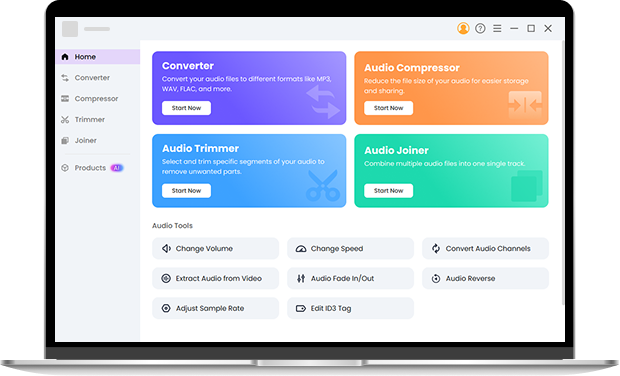
If you are dealing with massive movie files or professional libraries, our Pro Audio Toolkit is built for you. It supports files up to 3GB and over 200+ media formats. Beyond simple conversion, you can use the built-in tools to trim unwanted silence, compress files for easier sharing, or merge multiple tracks into one — all while maintaining full control over custom bitrates and sample rates.
WebM vs. MP3: Why Convert Your Web Video to Audio?
WebM is the standard for high-quality web video, but it isn't designed for offline music libraries. By converting WebM file to MP3, you transform a video-heavy format into a lightweight, universal audio file. MP3s take up significantly less space and are supported by virtually every piece of hardware and software on the planet, making them the best choice for podcasts, music, and voice memos.
Frequently Asked Questions
-
1. Can you convert WebM to MP3 for free?
Yes! OKmusi offers a 100% free WebM to MP3 converter with no hidden fees or registration. Enjoy high-speed conversions without spending a dime.
-
2. Is it safe to convert WebM to MP3 with OKmusi?
Absolutely. Since OKmusi processes files locally in your browser, your WebM videos are never uploaded, keeping your data 100% private.
-
3. Which audio formats can I export besides MP3?
You can export to over 15 formats, including WAV, FLAC, M4A, AAC, and OGG, giving you total flexibility for any device.
-
4. Will I lose audio quality during the WebM conversion?
While both WebM and MP3 formats are lossy, our WebM to MP3 converter uses advanced algorithms to preserve as much original detail as possible. You'll get a clean, high-fidelity MP3 that sounds great on any speaker.
-
5. Does this tool work on both Mac and Windows browsers?
Absolutely. Our online WebM to MP3 converter is cross-platform and works perfectly on any modern browser including Chrome, Edge, Safari, and Firefox, regardless of your operating system.
Why Our WebM to MP3 Converter Stands Out
-
Always Free
Enjoy high-quality conversions without hidden fees, subscriptions, or "pay-to-unlock" features.
-
Totally Anonymous
We value your privacy; no registration, email, or personal details are ever required.
-
Supports All Formats
From modern WebM clips to legacy video files, we support a massive range of formats.
-
No Annoying Ads
Enjoy a clean, distraction-free interface with zero intrusive pop-ups or ads.
Give Us 5 Stars!
Show your love by giving 5 stars!
We'll continue to offer best WebM to MP3 conversion services.
reviews