WAV Trimmer Online
Cut and refine your WAV audio with a clean online tool.
What You Can Do with This WAV Trimmer
You can trim a WAV file without setup, installation, or account creation. The page opens fast and gives you a layout that guides you step by step. You upload your WAV track, preview the waveform, and mark the exact section you want to keep. Many users rely on this WAV file trimmer when they record a raw voice memo and want only the useful part, or when they cut unwanted silence from a long lecture. The clean design helps you focus on the sound instead of ads or distractions. Every action responds instantly, which helps you finish the job with confidence.
How to Trim A WAV File Online
Step 1. Upload your WAV file. Click the Add File button and choose your WAV track. The waveform loads instantly, and every detail appears clearly so you can judge the audio with confidence.
Step 2. Select the clip you want and save it. Drag the markers to set the start and end points of the section you want. Once the clip looks right, click Save button. The WAV trimmer processes the audio with high accuracy and keeps the original encoding.
Step 3. Download your final WAV file. The trimmed clip appears within seconds, and the quality stays identical to your original recording. You then save the finished WAV file to your device with one quick click.
Features of This WAV Trimmer
Precise Cut for Any WAV File
You can trim wav audio with second level accuracy. The timeline shows clear markers so you always know what part of the sound you keep or remove. This helps when you cut music samples, podcast sections, voice notes, or field recordings.
Stable and Fast Cuts for Large WAV Files
The servers handle large WAV files with stable performance. You can work with long recordings without lag or corrupted output. Many users notice how quickly the WAV cutter tool finishes the cut, even when the original file is several minutes long.
Full Quality Retained
You do not lose audio quality. The free WAV trimmer keeps the original waveform, bitrate, and encoding. The final sound stays clean and sharp, which is important when you cut high resolution WAV files.
Safe and Anonymous Use
Your audio stays private. The platform removes all uploaded files automatically after processing, and no personal data is stored. The clean interface contains no ads, malware, popups, misleading buttons, or tracking scripts. You can trim a WAV file online without any worry.
Why You May Want Pro Audio Toolkits
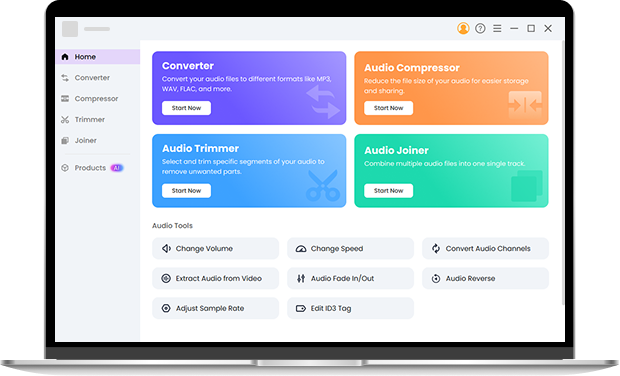
If you want deeper control, you may move to Pro Audio Toolkits. They give you offline WAV trimming, fade in and fade out, reverse effects, speed tools, volume edits, and full waveform control. You can also convert formats, join audio files, split long tracks, and compress WAV files with custom output settings. The tools work on both Windows and Mac with strong stability for long sessions. Many users start with the online audio trimmer and switch to the toolkit when they want a full editor for serious projects. Try it right now.
FAQ about the WAV Trimmer
-
1. How do you trim a WAV file online?
Upload your audio, set the start and end markers, confirm the cut, and export the clean result. The WAV trimmer completes the task automatically.
-
2. Does the WAV trimmer reduce audio quality?
No. You get the same encoding and the same clarity as the original WAV file.
-
3. Can you split a WAV file with this tool?
Yes. You can trim different parts one by one and save each part separately. This method works well if you need a simple wav splitter.
-
4. Can this tool edit WAV files besides trimming?
The online tool focuses on audio trimming. If you need a full wave editor with advanced features, the Pro Audio Toolkits offer better options.
More Things You Can Do with This Online WAV Trimmer
-
Cross Platform Access
The WAV audio trimmer online tool loads fast on all platforms because it does not require heavy components or system.
-
Instant Start Without Setup
You do not install anything, and you do not create an account. You can jump straight into trimming as soon as the page loads.
-
Clean and Comfortable Layout
You get a simple interface that focuses on the waveform. No clutter surrounds the controls, and no hidden buttons confuse your workflow.
-
Quick Final Output
You can finish a trim in seconds. The result appears immediately, and you can save the WAV file without delay.
Give Us 5 Stars!
Show your love by giving 5 stars!
We'll continue to offer best WAV trimmer.
reviews