Whether you're organizing a large music collection, fixing incorrect song information, or simply adding album artwork to a few tracks, a good MP3 tag editor can save hours of manual work.
Modern tag editors go far beyond basic title editing. They can update artist names, album information, genres, track numbers, embedded lyrics, and cover art. Some tools even use online music databases to automatically identify songs, while others give you full manual control over every field.
In this guide, I've tested several MP3 metadata editors and compared how they perform in real use, so you can choose the right tool for your workflow.
Best MP3 Tag Editors Compared
This table gives you a quick overview of the best MP3 tag editors and how they differ in features, platform, and use cases.
| Tool | Platform | Auto Tagging | Batch Editing | Cover Art | Best For |
|---|---|---|---|---|---|
| OKmusi ID3 Tag Editor | Windows & Mac | ✓ | ✓ | Auto & Manual | Automatic music library organization |
| Mp3tag | Windows & Mac | Semi-Automatic | ✓ | ✓ | Advanced metadata editing |
| Musci.io | Online | ✗ | Limited | ✓ | Quick multi-file editing |
| mp3-tag-editor.com | Online | ✗ | ✓ | ✓ | Batch editing with shared metadata |
| Banger.show | Online | ✗ | Single-file | ✓ | Lightweight single-file editing tool |
OKmusi ID3 Tag Editor - Best for Automatic MP3 Tag Editing
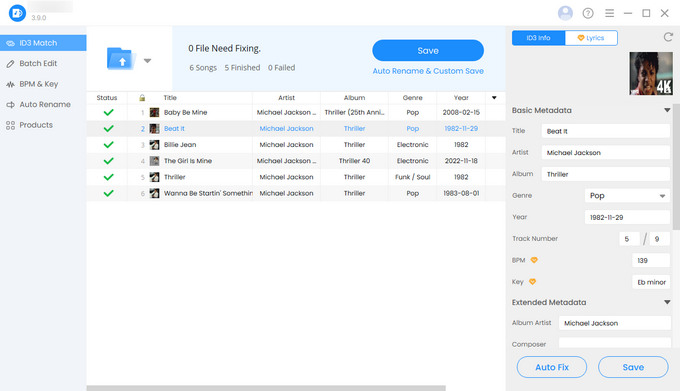
If you have hundreds or even thousands of songs with missing or inconsistent metadata, OKmusi ID3 Tag Editor is one of the fastest ways to clean up a music library, especially for users who want a hands-off approach.
Unlike traditional music tag editors that rely heavily on manual input, it focuses on automation. After importing your music collection, you can click Auto Fix, and the tool pulls metadata from multiple databases, including Discogs, MusicBrainz, Spotify, and regional sources.
It works particularly well for large or messy libraries where manually editing each file would take too much time.
Beyond automatic matching, OKmusi also supports batch editing and album artwork matching. It also includes simple file renaming options, such as Artist - Title formatting. The interface stays beginner-friendly while still handling large music collections efficiently.
Pros
- One-click metadata correction
- Great for large music libraries
- Batch editing support
- Album artwork matching
- Beginner-friendly interface
Cons
- Requires desktop installation
Mp3tag - Professional MP3 Tag Editor for Power Users
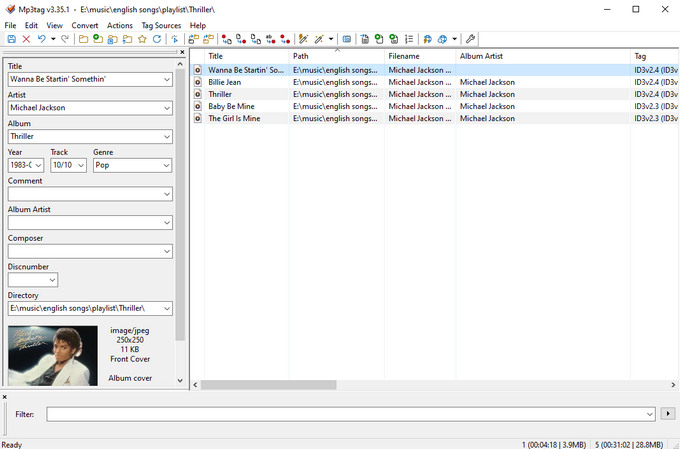
For users who want full control over their music library, Mp3tag remains one of the most established desktop tools for advanced metadata editing.
Unlike automatic music tag editors, Mp3tag doesn't try to decide metadata for you. Instead, it lets you work directly with tag data and pull matching information from sources like Discogs and MusicBrainz. This is especially useful when dealing with rare releases, live recordings, remastered albums, or manually curated collections where accuracy matters.
What sets Mp3tag apart is its focus on customization. Features like Actions, scripting, regular expressions, and filename conversion tools allow users to build highly flexible workflows and automate repetitive editing tasks.
This level of control comes with a learning curve, and new users may need some time to understand how its workflows and tagging logic work.
Pros
- Powerful and flexible metadata control
- Excellent for batch editing large libraries
- Supports scripting and Actions for automation
- Advanced filename and tag conversion tools
- Free to use
Cons
- Interface feels outdated
- Not beginner-friendly
Musci.io - Best for Quick Online Tag Editing
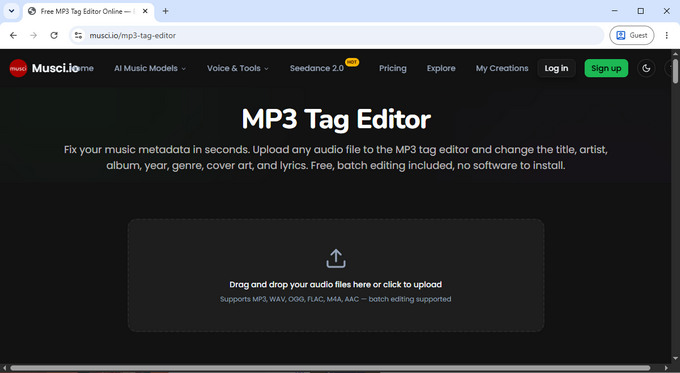
Musci.io is a simple online MP3 tag editor designed for quick, lightweight editing without installation. It works best when you only need to handle a small number of songs at once, especially for quick multi-file edits.
In testing, it handled around 15 tracks smoothly, with consistently fast upload and download speeds even for larger audio files. Everything runs directly in the browser, which keeps the workflow straightforward from start to finish.
It supports common audio formats like MP3, WAV, FLAC, AAC, M4A, and OGG, making it reliable for everyday music files without compatibility concerns.
In practice, Musci.io is a good option for quick updates, such as fixing a few track details before adding songs to a playlist, phone, or streaming library. However, it starts to feel limited at scale, where the lack of batch workflows and automation becomes noticeable compared to desktop tools.
Pros
- Fast upload and download performance
- Works directly in the browser with no setup
- Handles common music formats reliably
- Clean and simple editing workflow
Cons
- No batch editing for larger libraries
- No automation or metadata lookup tools
mp3-tag-editor.com - Best for Batch Tag Editing
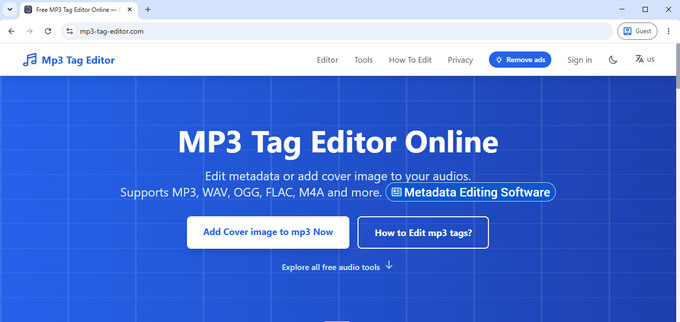
mp3-tag-editor.com focuses on batch editing MP3 metadata directly in the browser without requiring any desktop software.
Unlike simpler online MP3 metadata editor such as Musci.io that are better suited for quick individual edits, this tool allows uploading up to around 20 files at once. This makes it easier to update shared metadata such as artist, album, genre, and year across multiple songs, while still allowing individual adjustments like artwork, comments, or track numbers when needed.
It supports common audio formats including MP3 (ID3v2), FLAC, M4A, AAC, OGG, and WAV. In testing, uploads were smooth and I did not encounter any noticeable file size limitations.
It works best when you're editing several files that share the same tags, rather than making quick edits one by one.
Pros
- Supports batch editing in the browser
- Works with multiple audio formats
- No installation required
- Fast upload performance
Cons
- Contains ads in the interface
- Limited to manual editing
Banger.show - Best for Quick Tag Fixes
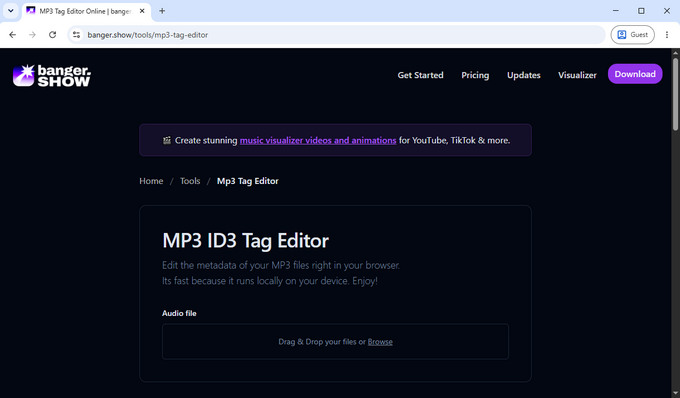
Banger.show is a lightweight online MP3 tag editor for quick, single-file edits. It works best as a simple tool for occasional fixes, rather than a primary editing solution.
The interface is minimal and easy to use, and in testing it handled uploads smoothly with fast processing times, even for larger files. Everything runs directly in the browser without installation or setup.
Unlike batch-focused tools, Banger.show processes files one at a time, which makes it less suitable for managing music libraries or editing multiple tracks in bulk.
Pros
- Simple and easy to use
- Fast upload and download
- No installation required
- Supports large files
Cons
- Only supports one file at a time
- No batch editing or automation
Which MP3 Tag Editor Should You Choose?
The right music tag editor depends on how you work with your music. Based on real use cases, here's a simple way to decide.
If you want the easiest way to clean up a large or messy music library, OKmusi ID3 Tag Editor is the best starting point. It automatically fixes and organizes metadata in bulk, which saves a lot of time compared to manual editing. It's especially useful when your goal is to get everything in order quickly without dealing with individual tracks.
If you need more control over detailed metadata editing, Mp3tag is an option for advanced users who prefer to manage tags manually and fine-tune every field.
For smaller tasks, online tools like Musci.io or mp3-tag-editor.com can handle quick edits in the browser, while Banger.show is mainly useful for occasional single-file fixes.
FAQs
How can I organize a large music library?
If your music collection contains hundreds or thousands of files, editing tags one by one quickly becomes impractical. An automatic MP3 tag editor can identify missing or incorrect metadata, update multiple files at once, and keep your library organized with much less manual work.
Can I automatically edit MP3 metadata in bulk?
Yes. OKmusi ID3 Tag Editor can automatically retrieve metadata from multiple online music databases and update multiple files with a single click. This is much faster than manually editing every title, artist, album, or genre, especially for large music libraries.
Can I edit MP3 tags online?
Yes. Online MP3 tag editors let you edit titles, artists, albums, genres, track numbers, and album artwork directly in your browser. They're ideal for quick edits because there's no software to install.
Can I add album art to MP3 files?
Yes. Most MP3 tag editors let you add, replace, or remove album artwork. The artwork is embedded in the audio file, so it appears correctly in supported music players and media libraries.
Can I edit MP3 metadata without losing audio quality?
Yes. MP3 tags are stored separately from the audio itself, so editing metadata doesn't affect the audio quality of your music files.